Kit Review 2026: Creator Email Power, Newsletter Tradeoffs
A practical review of Kit's automations, forms, tags, commerce features, pricing model, and where newsletter-first publishers may want a different workflow.
Kit, formerly ConvertKit, is one of the strongest email platforms for creators who want newsletters, landing pages, forms, visual automations, tags, paid products, and subscriber journeys in one place. It is not the most newsletter-native platform if your main goal is a publication archive, editorial site, or social-to-newsletter growth loop. Kit works best when the newsletter supports a broader creator business: lead magnets, courses, paid products, launches, evergreen funnels, and segmented email sequences.
This review is based on Kit's official pricing and feature pages, public user comments, and our own product testing notes. Pricing and feature details were last checked on May 30, 2026.
Key takeaways#
- Kit is best for creators who treat email as the center of a business, not only as a weekly newsletter.
- The free Newsletter plan is generous: Kit's plan comparison says the Newsletter plan can manage up to 10,000 subscribers.
- Paid plans unlock the real Kit workflow: unlimited Visual Automations, unlimited email sequences, A/B testing, integrations, RSS campaigns, and support.
- Kit's strongest feature is automation. Tags, segments, sequences, forms, landing pages, and product purchases can work together cleanly.
- The main drawbacks are pricing as your list grows, Pro-only advanced features, a newsletter experience that can feel less publication-native, and reporting that may not satisfy serious newsletter operators.
Kit at a glance#
| Category | Kit review |
|---|---|
| Best for | Creators, coaches, authors, course sellers, podcasters, and newsletter operators with products or funnels |
| Former name | ConvertKit |
| Main workflow | Capture subscribers, send broadcasts, build email sequences, automate subscriber journeys, and sell digital products or subscriptions |
| Free plan | Newsletter plan at $0/month, with limited automation and Kit branding |
| Paid plans | Creator and Pro, priced by subscriber count |
| Newsletter publishing | Good for email newsletters; less strong as a publication/archive system |
| Automations | Excellent on paid plans |
| Segmentation | Strong tags, segments, behavior-based targeting, and subscriber organization |
| Commerce | Supports digital products, paid newsletters, recurring subscriptions, and tips |
| Website/archive | Creator Profile, landing pages, and forms are useful, but not a deep publication website |
| Best fit | Creators who need email marketing and automations around a newsletter |
Kit review scores#
We scored Kit across the areas that matter most for creators and newsletter operators.
| Category | Score | Our take |
|---|---|---|
| Email automations | 4.7/5 | Visual Automations, sequences, tags, and behavior-based journeys are Kit's strongest area. |
| Creator business tools | 4.4/5 | Forms, landing pages, products, subscriptions, recommendations, and integrations make Kit useful beyond simple newsletters. |
| Newsletter publishing | 3.6/5 | Good for sending newsletters, but less publication-native than tools built around issues, archives, and reader-facing sites. |
| Ease of use | 4.1/5 | The product is cleaner than many marketing platforms, though deeper automation workflows still take time to learn. |
| Pricing for growing lists | 3.2/5 | The free tier is generous, but paid pricing climbs with subscriber count and important features move to Pro. |
| Analytics and attribution | 3.3/5 | Useful for email marketing, but not ideal if you need deep social-to-subscriber attribution or publication analytics. |
| Customization | 3.2/5 | Forms, landing pages, and Creator Profiles are useful; custom publication and site control is limited. |
Overall: 3.8 / 5#
Kit is excellent if your newsletter is part of a creator business with products, lead magnets, launches, and automated sequences. It scores lower if you judge it as a dedicated newsletter publication platform.
Kit pros and cons#
| Pros | Cons |
|---|---|
| Strong visual automation builder for creator email workflows | Paid pricing climbs as your subscriber list grows |
| Good tagging, segmentation, forms, landing pages, and sequences | Some important features are Pro-only, including deeper reporting and newsletter referrals |
| Free plan is useful for early creators | Free plan has limited automation and Kit branding |
| Commerce and paid subscriptions are built into the product | Newsletter archive/site experience is not as strong as publication-first platforms |
| Cleaner creator-focused interface than many traditional email marketing tools | Reporting and attribution can feel thin for serious newsletter operators |
| Free migration is available for paid-plan creators, according to Kit's feature page | Best when you need marketing automation, less compelling if you only want to publish issues |
What is Kit?#
Kit is an email-first creator platform. It combines email broadcasts, newsletters, forms, landing pages, tags, segments, Visual Automations, email sequences, digital products, subscriptions, recommendations, and integrations.
Kit used to be called ConvertKit. The newer Kit positioning is broader: not just an email service provider, but a creator business platform where your audience, email list, products, and automated journeys live together.
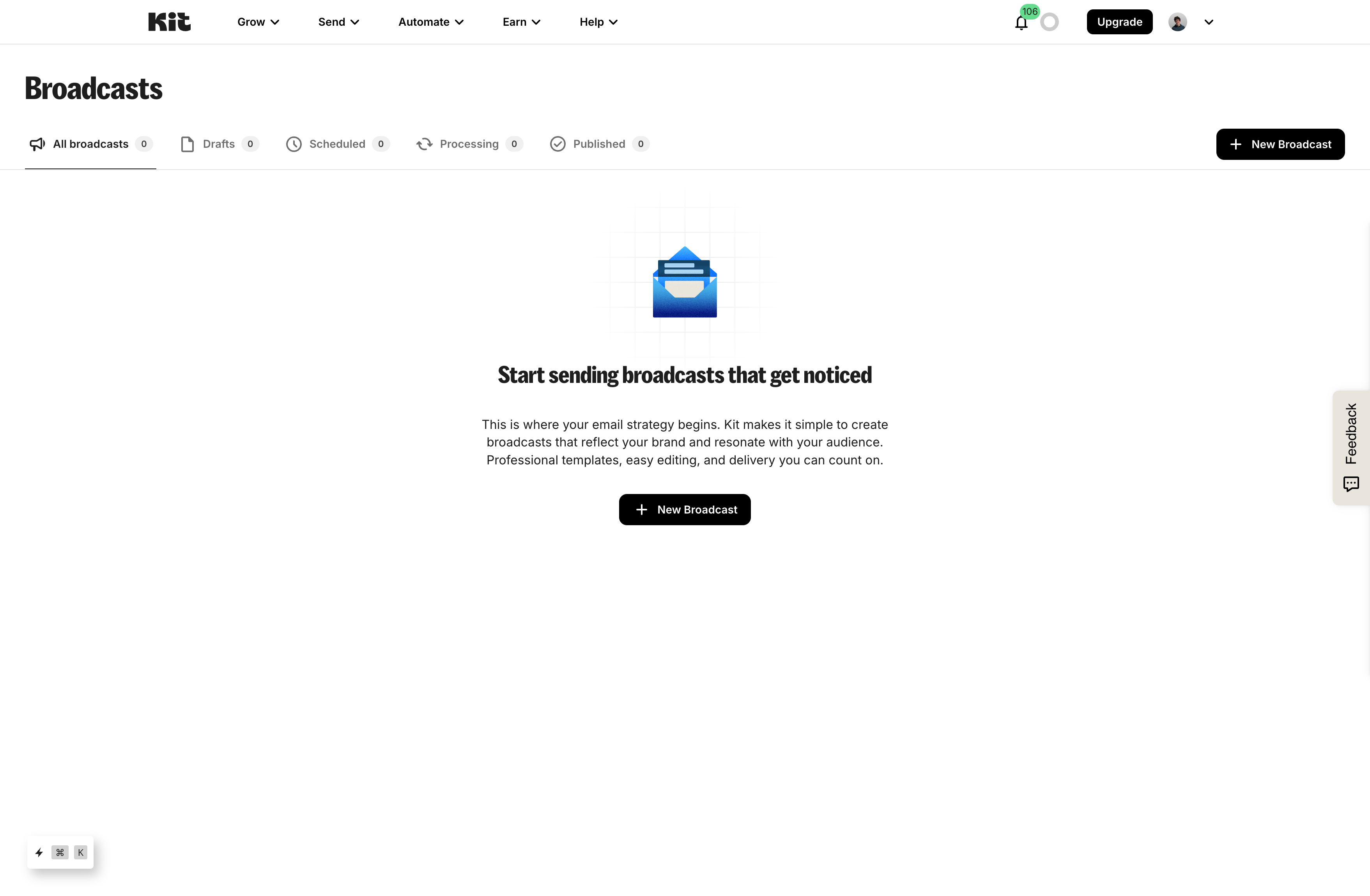
That context matters. Kit is not only asking, "How do I publish a newsletter issue?" It is asking, "How do I turn subscribers into a creator business?"
What Kit does well#
Kit's strength is the connection between subscribers, automations, and creator monetization.
Visual Automations are the core feature#
Kit's automation page describes workflows triggered by signups, clicks, purchases, inactivity, and custom criteria. The builder can apply tags, send sequences, create delays, split journeys, and connect with other creator tools.
This is where Kit often feels stronger than newsletter-first tools. If someone downloads a guide, clicks a product link, buys a course, or stops engaging, Kit can move them through a different email path.
Tags and segments are practical#
Kit's feature page emphasizes one list with tags and segments based on subscriber interests and behavior. That model works well for creators who have multiple offers or topics but do not want separate lists for everything.
For example:
- Tag a subscriber after they download a guide.
- Send a short welcome sequence.
- Move them into a product launch sequence if they click a specific link.
- Exclude buyers from a promotion after purchase.
- Send a broadcast only to subscribers interested in a topic.
This is classic creator email marketing, and Kit is good at it.
Forms, landing pages, and Creator Profile reduce setup work#
Kit gives creators landing pages, forms, and a Creator Profile. These are useful if you need a quick signup page, link-in-bio style destination, or basic home for content and products.
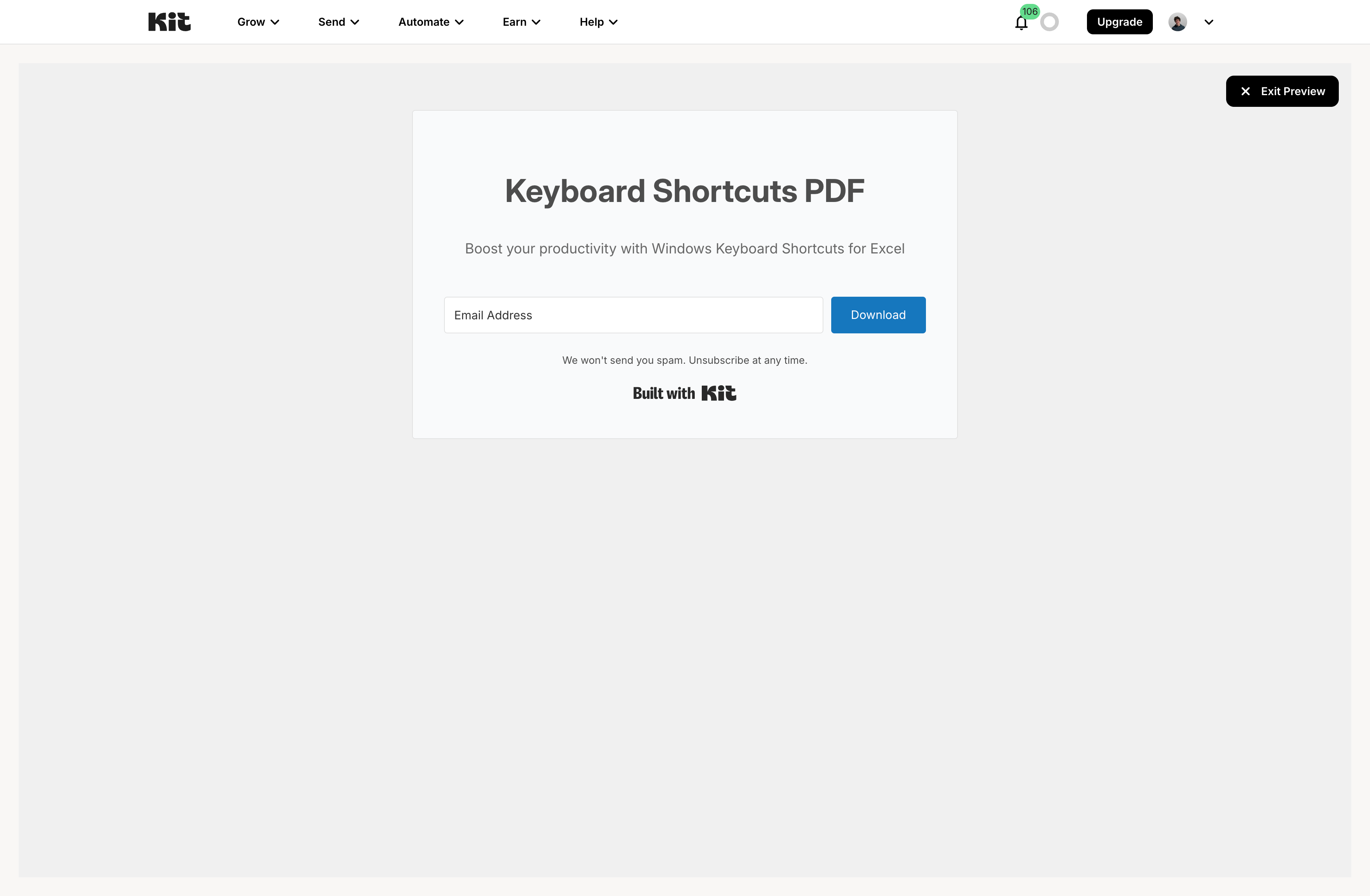
This is not the same as a fully custom publication site, but it is enough for many creators who already have a website, YouTube channel, podcast, or social audience.
Commerce fits creator businesses#
Kit supports selling digital products and subscriptions. That makes sense for writers, educators, coaches, and creators who want the newsletter to support products, courses, paid guides, memberships, or paid email content.
The strongest Kit use case is not "send a weekly issue and stop." It is "collect subscribers, understand their interests, send useful emails, and sell something relevant over time."
Kit pricing in 2026#
Kit pricing is attractive at the start and more serious once you need paid-plan features.
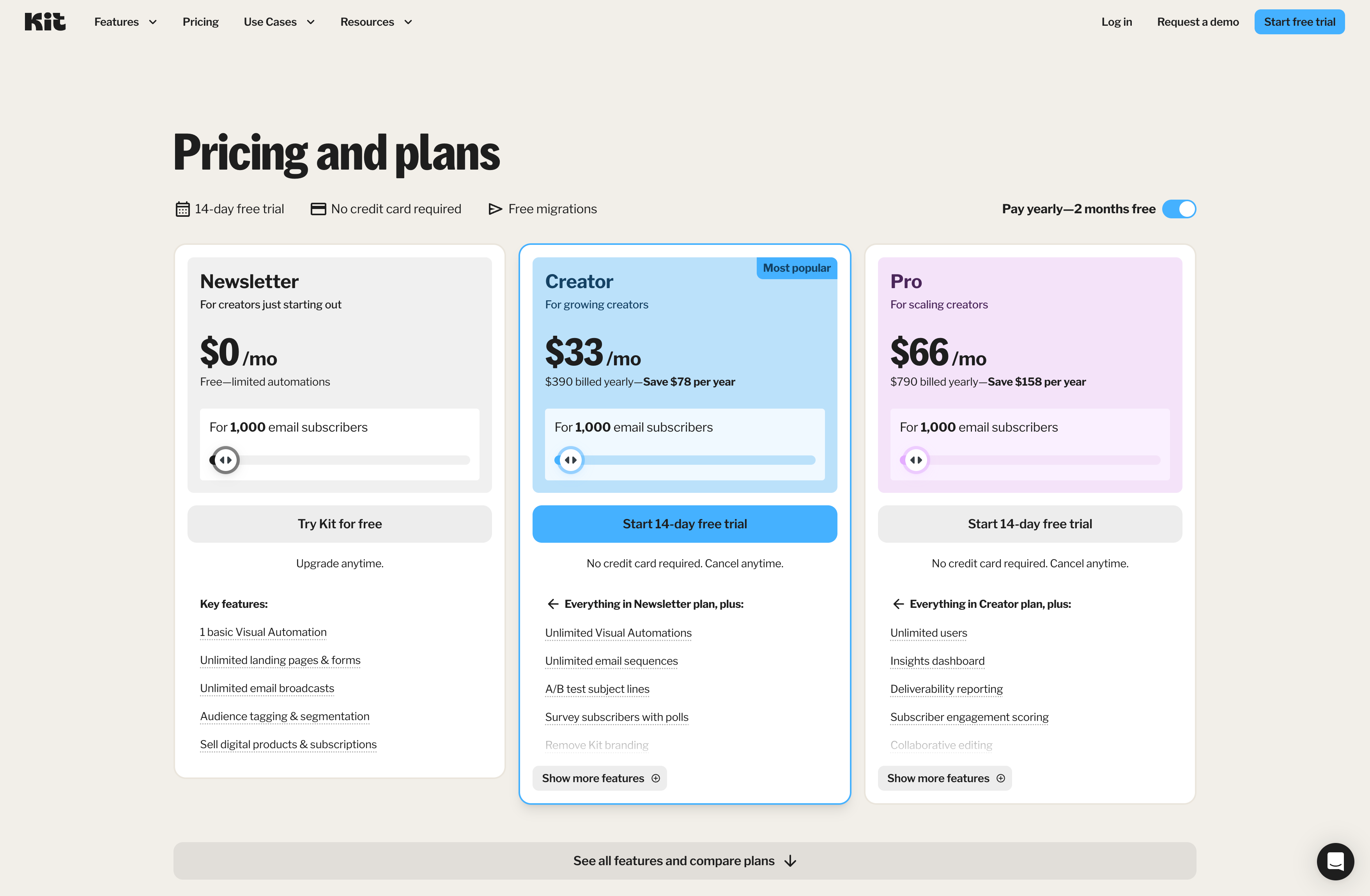
On May 30, 2026, Kit's pricing page listed three plans for 1,000 email subscribers: Newsletter at $0/month, Creator at $33/month billed yearly, and Pro at $66/month billed yearly. Kit also states that paid plans include a 14-day free trial with no credit card required.
| Pricing item | What Kit charges | Honest read |
|---|---|---|
| Newsletter | $0/month, limited automation, unlimited landing pages and forms, unlimited email broadcasts, tagging and segmentation, digital products and subscriptions | Strong free starting point, especially for creators validating an audience |
| Creator | $33/month billed yearly for 1,000 subscribers | This is where Kit becomes useful for serious automation: unlimited Visual Automations, sequences, subject-line A/B testing, integrations, RSS campaigns, and support |
| Pro | $66/month billed yearly for 1,000 subscribers | Adds scaling features like insights dashboard, deliverability reporting, engagement scoring, collaborative editing, content A/B testing, Facebook custom audiences, referral system, link edits after sending, and priority support |
| Subscriber scaling | Price changes by subscriber count | Budget carefully if your list is growing; Kit can become expensive for large lists |
| Commerce | Kit lists digital products and subscriptions at 3.5% + 30c, inclusive of credit card processing fees | Useful if you sell through your email list; the fee is simpler than wiring payments yourself |
| Paid Recommendations | Kit lists a 23.5% fee on earnings paid through Paid Recommendations | Good fit for creators with aligned audiences; not a replacement for your own acquisition strategy |
The honest read:
- Kit's free plan is genuinely useful.
- The Creator plan is the real starting point if you need automations and sequences.
- Pro is where many advanced newsletter/business features live.
- The bigger your list gets, the more important it is to model monthly cost before migrating.
- Kit is easier to justify when the email list drives product revenue, courses, subscriptions, or client revenue.
- Kit is harder to justify if you only need a simple newsletter blast and archive.
This is the core pricing tradeoff: Kit is generous while you are small, but the features that make Kit powerful are mostly paid.
What real users like about Kit#
Public user comments usually praise Kit for automation, creator fit, simplicity, and reliability compared with heavier email marketing tools.
In a Reddit thread comparing Kit or beehiiv, one commenter framed Kit as more established for creator businesses with solid automation and segmentation. That is the most common positive read: Kit is not just a newsletter sender, it is a creator email system.
In another thread about beehiiv, ConvertKit, or Kajabi, users discussed ConvertKit as a serious option for lead magnet delivery, nurture sequences, and ongoing newsletters. That matches Kit's product strengths.
The useful positive examples:
- Automation: users like Kit when they need welcome sequences, funnels, launches, and behavior-based email.
- Creator fit: the product feels designed around creators, not generic enterprise marketing teams.
- Segmentation: tags and segments are easier to reason about than list-heavy tools.
- Deliverability reputation: many creators see Kit as a safer, more established email platform.
- Business support: forms, landing pages, products, and sequences can live in one system.
The strongest praise is that Kit helps creators turn subscribers into a business workflow.
What real users dislike about Kit#
The negative comments usually cluster around pricing, reporting, newsletter depth, and workflow limits.
In a Reddit thread titled Kit is getting expensive, users discussed the pain of price increases and the fear of opening the pricing page with a large subscriber base. That is the clearest pricing complaint: the free tier is attractive, but larger lists can become expensive quickly.
In a thread about ConvertKit click reporting, a user complained that click reports did not make sense after moving a daily newsletter partly to ConvertKit. One thread is not proof of a universal reporting problem, but it is a useful signal: newsletter operators care deeply about trustworthy analytics.
In a thread about ConvertKit issues, users discussed needing to structure sequences and automations carefully to get the desired workflow. This is normal for automation tools, but it is still friction for someone who only wants to publish a simple newsletter.
The useful negative examples:
- Pricing: paid tiers and list growth can feel expensive.
- Newsletter focus: Kit is powerful for email marketing, but not always ideal as a publication system.
- Reporting confidence: some users want clearer newsletter-specific analytics.
- Workflow complexity: automations are powerful, but they add setup work.
- Feature gating: some advanced features live on Pro.
| Complaint theme | What users are really saying | How seriously to take it |
|---|---|---|
| Pricing growth | Kit can feel affordable early and expensive once the list grows | High if your list is large or low-revenue |
| Newsletter depth | Kit sends newsletters well, but the product is more email marketing than publication platform | High if your newsletter archive/site is central |
| Reporting confidence | Operators want analytics they can trust for clicks, engagement, and growth decisions | Medium to high if analytics drives sponsorships or editorial strategy |
| Automation complexity | Power requires setup: tags, sequences, rules, and branching journeys | Medium if you only need simple publishing |
| Pro-only features | Referral system, deeper reporting, engagement scoring, and content A/B testing sit higher in the plan ladder | High if those are must-have features |
Where Kit can fall short#
Kit can fall short when you want a newsletter-first operating system instead of a creator email marketing platform.
It is not a deep publication site#
Kit has Creator Profiles, landing pages, forms, and public surfaces. Those are useful. But they are not the same as a fully customizable publication website with a rich archive, editorial navigation, custom content categories, and deep brand control.
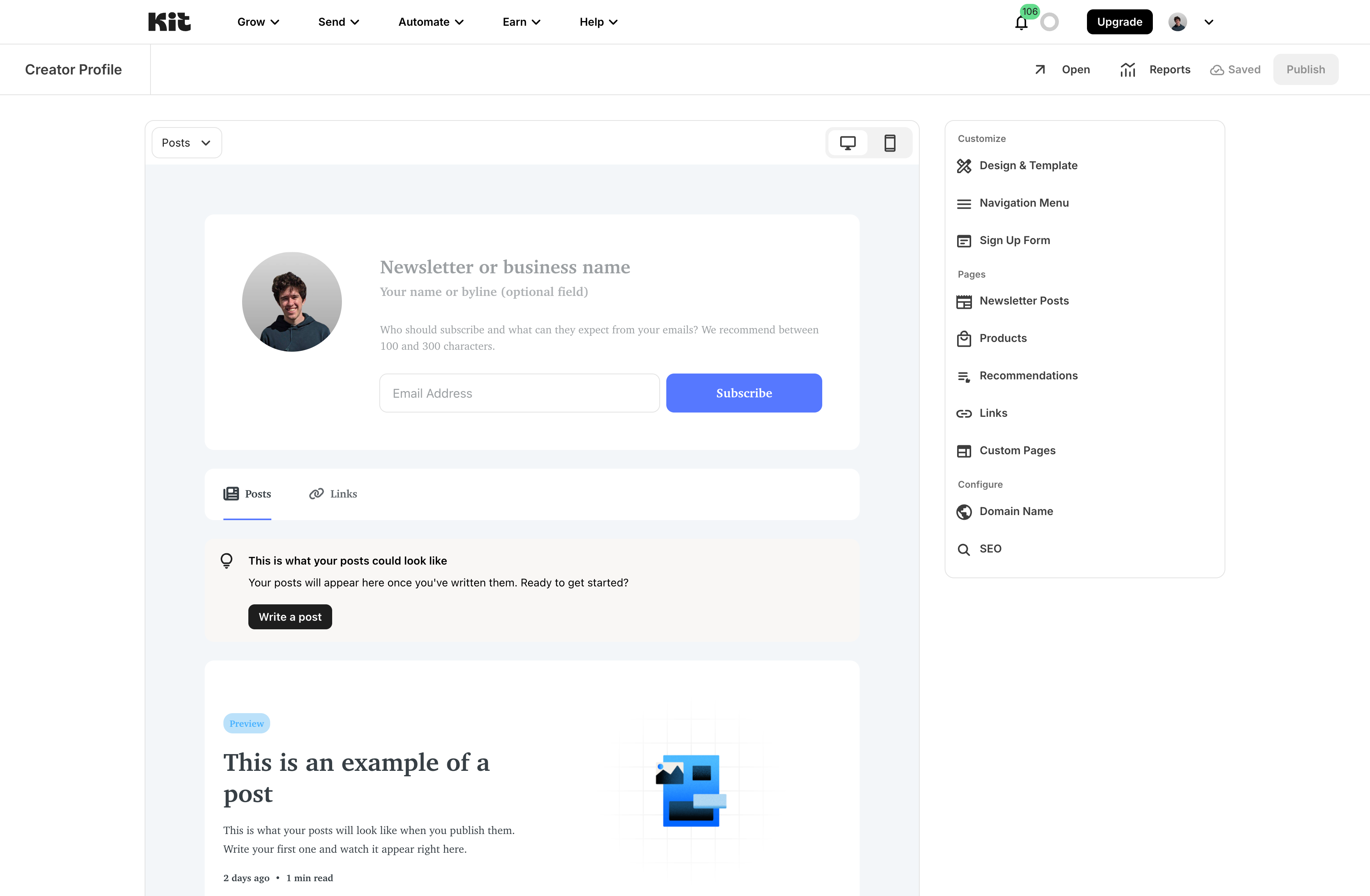
If your newsletter is meant to feel like a media property, Kit may feel lighter on the public-site side than publication-first platforms.
The newsletter workflow is part of a bigger marketing system#
Kit is very good at email marketing. That can be a strength or a mismatch.
If your real job is lead magnets, nurture sequences, evergreen launches, paid products, and audience segmentation, Kit fits naturally. If your job is publishing issues, building a public archive, and turning social attention into subscribers with clear attribution, Kit may feel indirect.
Social publishing is not the center#
Kit is built around email, landing pages, automations, and creator business workflows. It is not primarily a social scheduling tool, and it does not center native X and LinkedIn publishing previews, post-level subscriber attribution, or social-to-newsletter analysis.
That is not a flaw for everyone. It is only a problem if social audience conversion is the main acquisition path for your newsletter.
Advanced analytics may not be enough#
Kit's Pro plan adds insights, deliverability reporting, engagement scoring, and more testing. That helps.
But serious newsletter operators may still want deeper attribution: which social post, topic, source, landing page, or campaign brought a subscriber, and what that subscriber did afterward.
Who should use Kit?#
Choose Kit if:
- You are a creator building a business around email.
- You need lead magnets, forms, landing pages, tags, and segments.
- You want visual automations and email sequences.
- You sell digital products, courses, paid subscriptions, or memberships.
- You care more about subscriber journeys than a publication-style archive.
- You are willing to pay for Creator or Pro once automation becomes important.
Be cautious if:
- You only want to publish newsletter issues.
- You need a deeply customizable newsletter website and archive.
- Your main growth path is X and LinkedIn audience conversion.
- You need detailed subscriber-source attribution.
- You have a large list but low direct revenue.
- You do not want to manage tags, sequences, and automations.
Final verdict#
Kit is a strong platform for creator email marketing. It is especially good when the newsletter supports a broader business: products, lead magnets, launches, paid offers, and subscriber journeys.
The main tradeoff is newsletter focus. Kit can send newsletters well, but its center of gravity is automation and creator monetization, not publication-native workflow. That makes it a great fit for creators who want email to power a business, and a less obvious fit for operators who want a custom newsletter site, archive, social publishing workflow, and deep subscriber attribution.
Choose Kit if your newsletter is part of a creator business with automations and offers.
Consider another platform if your priority is publication control, social-to-subscriber attribution, custom newsletter archives, or a simpler issue-first workflow.
FAQ#
Is Kit the same as ConvertKit?#
Yes. Kit is the current name for the product formerly known as ConvertKit.
Is Kit good for newsletters?#
Yes, Kit is good for sending newsletters, especially when the newsletter connects to forms, tags, segments, automations, lead magnets, products, or paid subscriptions. It is less ideal if you want a publication-first website and archive.
Is Kit free?#
Kit has a free Newsletter plan. On May 30, 2026, Kit's plan comparison said the Newsletter plan supports up to 10,000 subscribers. Check the live pricing page before choosing because subscriber limits and plan terms can change.
How much does Kit cost?#
On May 30, 2026, Kit listed Creator at $33/month billed yearly and Pro at $66/month billed yearly for 1,000 email subscribers. Pricing scales by subscriber count.
What is Kit best for?#
Kit is best for creators who need email marketing, automations, tags, landing pages, forms, sequences, products, and subscriptions around their audience.
What are the main Kit drawbacks?#
The main drawbacks are pricing as your list grows, Pro-only advanced features, limited publication-site depth, less social-to-newsletter attribution, and workflow complexity if you only want simple newsletter publishing.